
Digital Classroom Podium
The Original
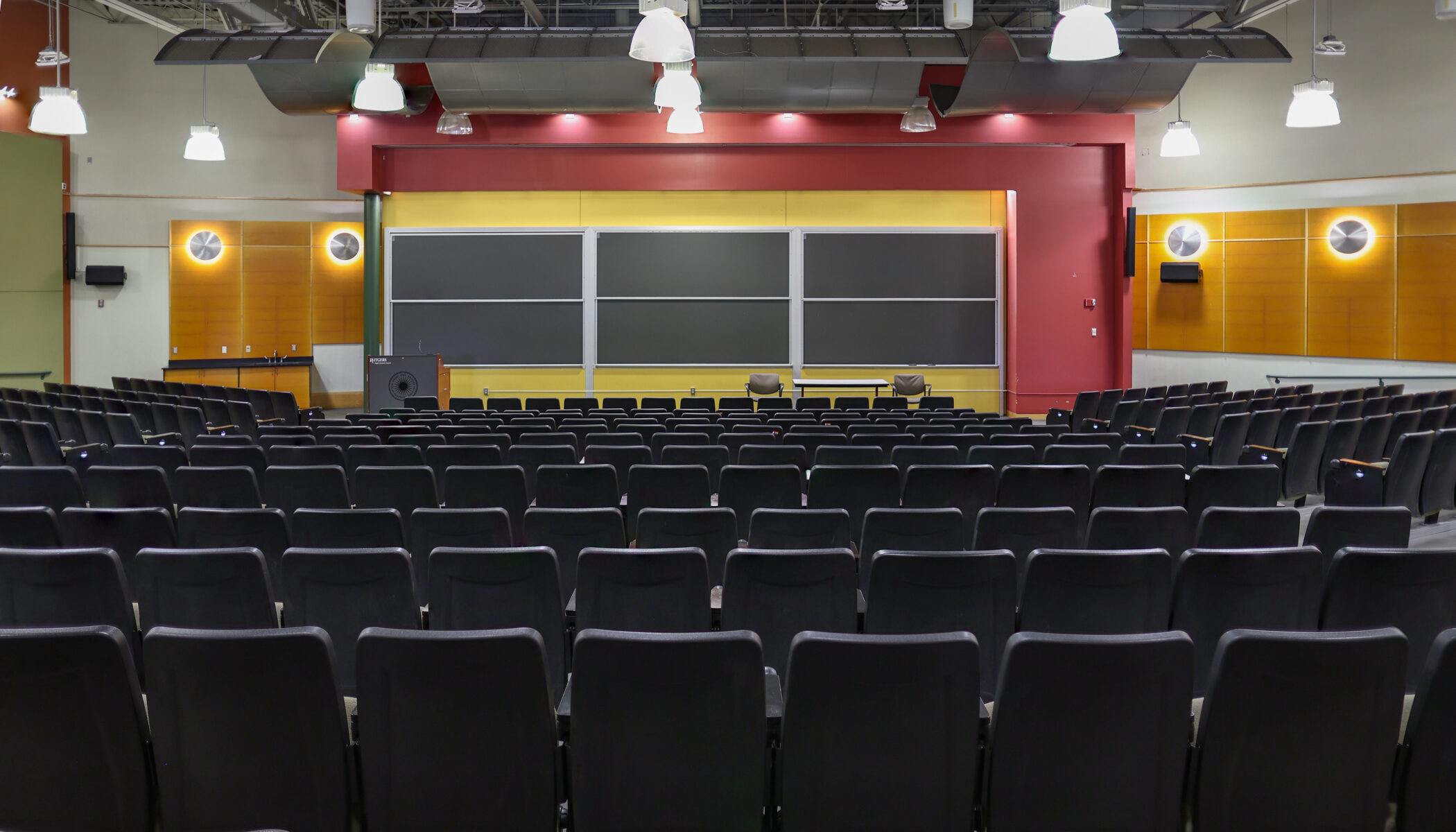
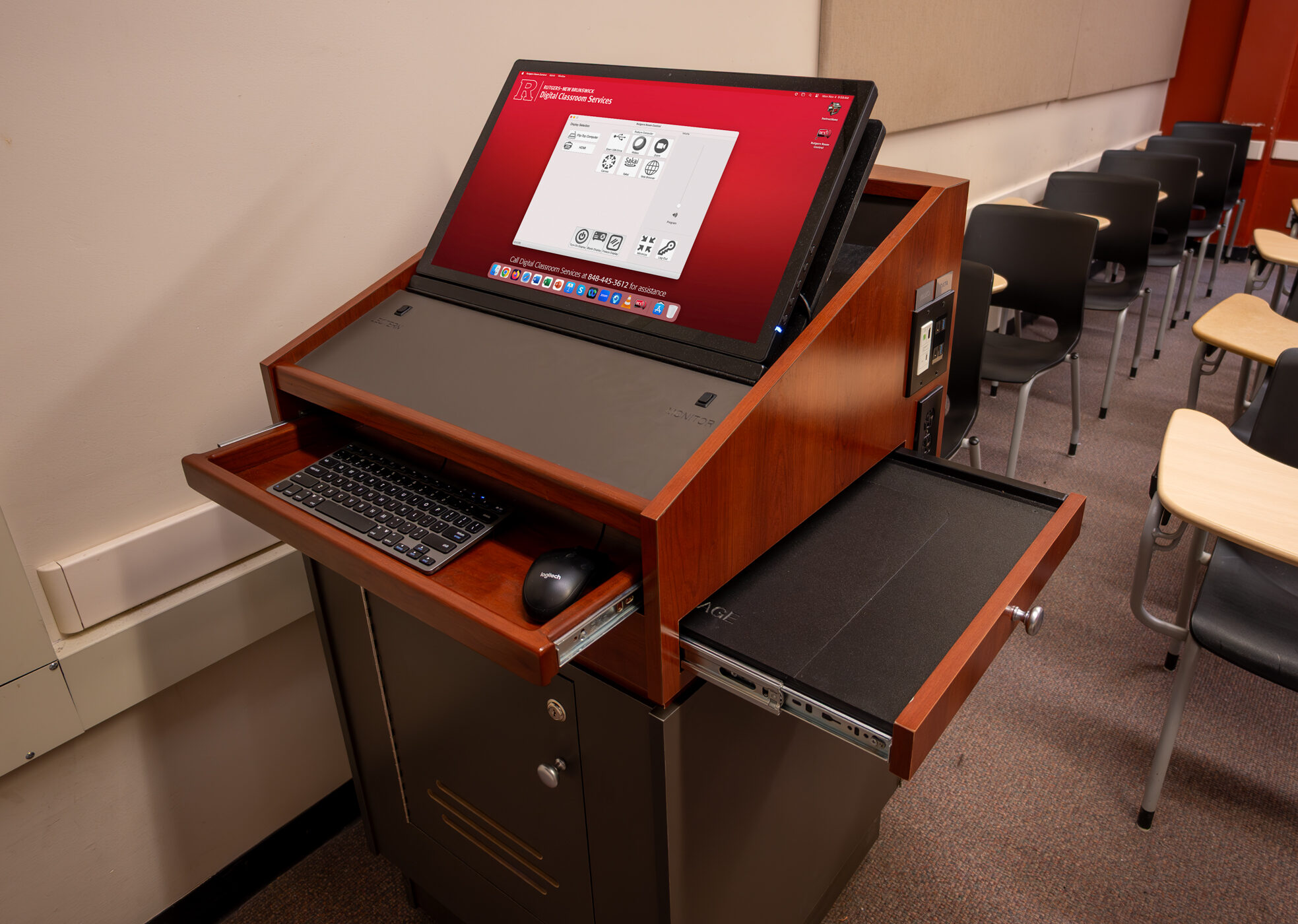
The Digital Classroom Podium, or “DCP,” is the first system developed by DCS. It is now our standard classroom system for large classrooms. Lecture Halls and Auditoriums are equipped with the Digital Classroom Podium A1, a wider version of the podium that includes a preview monitor, voice amplification, and the ability to present on multiple in-room displays.
Rutgers Built for Rutgers Classes
The Digital Classroom Podium, like other Digital Classroom Systems, are designed and constructed in-house by our Technical Services & Operations team. The Rutgers Room Control program is also designed and improved by an in-house programmer. As a result, our staff is continuously able to modify the podium based on the experience of the faculty using them. Since first introducing the DCPs we have worked closely with faculty through direct interaction, surveys, and feedback sessions to refine new designs to best meet the needs of Rutgers instructors. To watch a podium being built from workroom to classroom, click on the video to the left. For more information, view the sections below.
Explore the Digital Classroom Podium
We have various resources available to help you learn about and use the DCP.
-
Available in all DCPs
- Mac computer, including:
- a dedicated Internet connection
- USB ports
- keyboard and mouse
- HDMI port and cable for projecting laptops, phones, or tablets
- RUWireless
Available in Some DCPs
- Blu-ray player capable of playing:
- Blu-ray discs
- DVDs
- audio CDs
- Document camera
- Interactive display for annotation, on-screen writing, computer control, and wireless display sharing
- Solstice wireless display sharing for both instructor and student laptops, phones, and tablets
- Dual projection, allowing projection of one source on two screens or different sources on each screen
- Wireless microphone
- Hand-held microphone
- Podium microphone
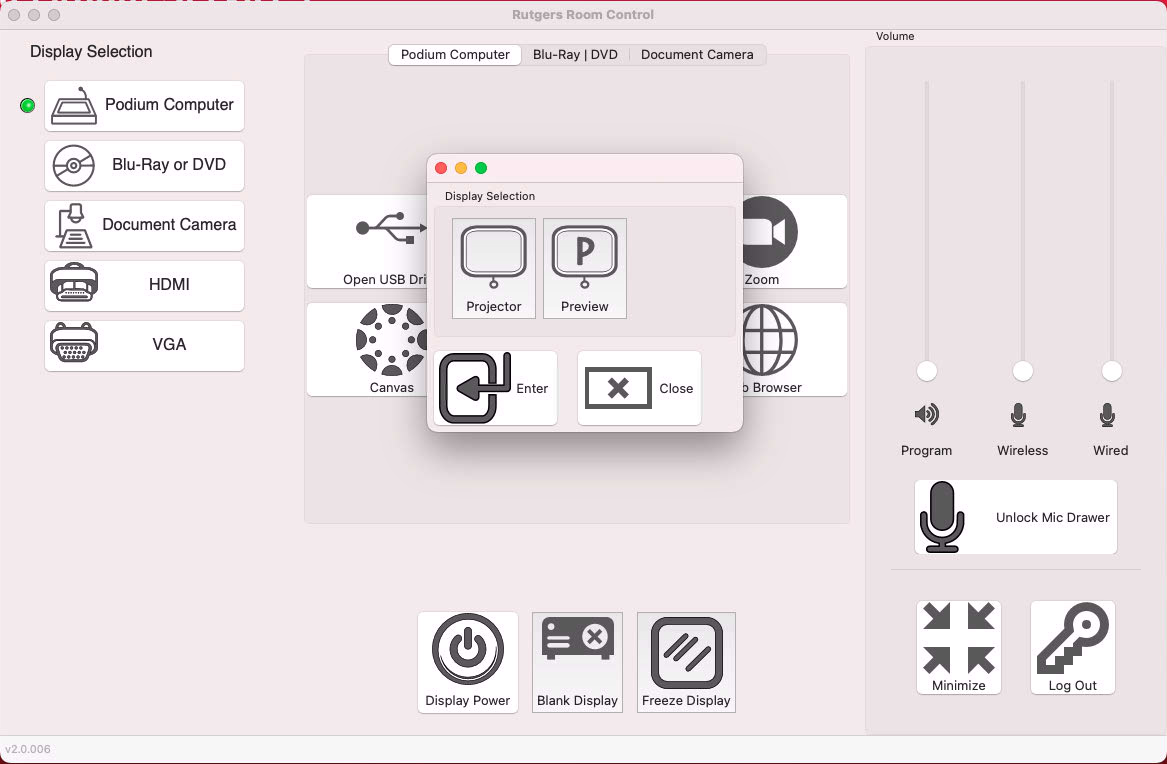
- Preview monitor, enabling presenters to view projected images on the podium without having to turn around
- VGA port and cable for projecting laptops, phones, or tablets
- USB-C port and cable for projecting laptops, phones, or tablets
Please select your DCP classroom from the list below for a summary of the features available in that podium.
Available by Request
- Air Mouse
- Blu-ray /DVD player
- Hand-held microphone
- Hand-held trackball mouse
- Microphone stand
- USB hub, allowing users to connect more than three USB devices to the podium
- VCR or international VCR
- Webcam and tripod
- Wireless microphone
- Wireless pen mouse
- Wireless presenter,, used to advance slides or control the mouse advance slides or control the mouse
Visit the Request Form page for more information and to reserve this equipment.
- Mac computer, including:
-
The following rooms are equipped with a Digital Classroom Podium. For panoramic photos and detailed lists of classroom features and technology, please click on an individual room.
Allison Road Classroom: 103, 105, 107, 203, 204, 205, 206, 207, 333
Art History Hall: 200
Bartlett Hall: 123
Biomedical Engineering Building: 102
Biological Sciences: 205
Beck Hall: 100, 201, 213, 219, 250, 251, 252, 253
Campbell Hall: A4, A5
Chemistry & Chemical Biology: 1203, 1209, 1303
Computing Research & Education Building (CoRE): 101
Cook/Douglass Lecture Hall: 102, 103, 109, 110
Davison Hall: 122
Engineering Building: 120
Fiber Optics Materials Research Building: 108
Food Science: 101, 105, 109
Foran Hall: 138A, 138B
Frelinghuysen Hall: A5, A6, B1, B2, B3, B4, B5
Hardenbergh Hall: A1, A2, A3, A4, A5, A6, A7, B2, B3, B4, B5, B6
Heldrich Science Building: 106, 201, 204, 206
Hickman Hall: 101, 138, 112, 113, 115, 117, 118, 119, 122, 123, 126, 127, 130, 131, 132, 201, 204, 205, 209, 210, 211, 214, 216, 218
Hill Center: 009, 114, 116
Institute of Food Nutrition & Health: 101, 205
Loree Hall: 020, 022, 115
Lucy Stone Hall: A102, A121, A139, A140, A142, A143, B105, B109, B110, B111, B115, B117, B123, B205 B267, B269
Milledoler Hall: 100
Murray Hall: 111, 112, 113, 114, 115, 204, 208, 210, 211, 212, 213, 301
Pharmacy: 111, 115
Physics: 001
Richard Weeks Hall of Engineering: 102, 105
Rutgers Academic Building: 1170, 1180, 2125, 2160, 2225, 2400
Ruth Adams Building: 001, 104, 206, 209A, 209B, 110B
School of Communication & Information: 212
Scott Hall: 101, 102, 103, 104, 105, 106, 115, 116, 119, 120, 121, 123, 135, 201, 202, 203, 204, 205, 206, 207, 214, 215, 216, 219, 220, 221
Science & Engineering Research Center: 111, 117, 118, 202, 203, 205, 207, 208, 209, 210, 218
Tillett Hall: 103A, 103B, 103C, 103D, 105, 116, 123, 125, 127, 224, 226, 232, 242, 246, 251, 252, 253, 254, 257, 258, 264
Van Dyck Hall: 211
Voorhees Hall: 104, 105
Zimmerli Art Museum: EDR, MPR -
Apps may be opened by selecting them in the dock or by clicking on the blue applications folder and choosing the app from the list. If the DCP does not have software you would like to use in your class, contact us.
BaiBoard
Blu-ray Player
Cisco Webex Meeting
Eclipse
EndNote X9
Firefox
GarageBand
GeoGebra
Google Chrome
Google Earth
Hovercam Flex
iClicker Cloud
jEdit
Kaltura
Keynote
Lifesize Cloud
Microsoft Excel
Microsoft OneDrive
Microsoft OneNote
Microsoft Outlook
Microsoft PowerPoint
Microsoft Teams
Microsoft Word
Quicktime
PollEV Presenter
Prezi Next
R
RStudio
Safari
Skype
Solstice
VLC
Zoom
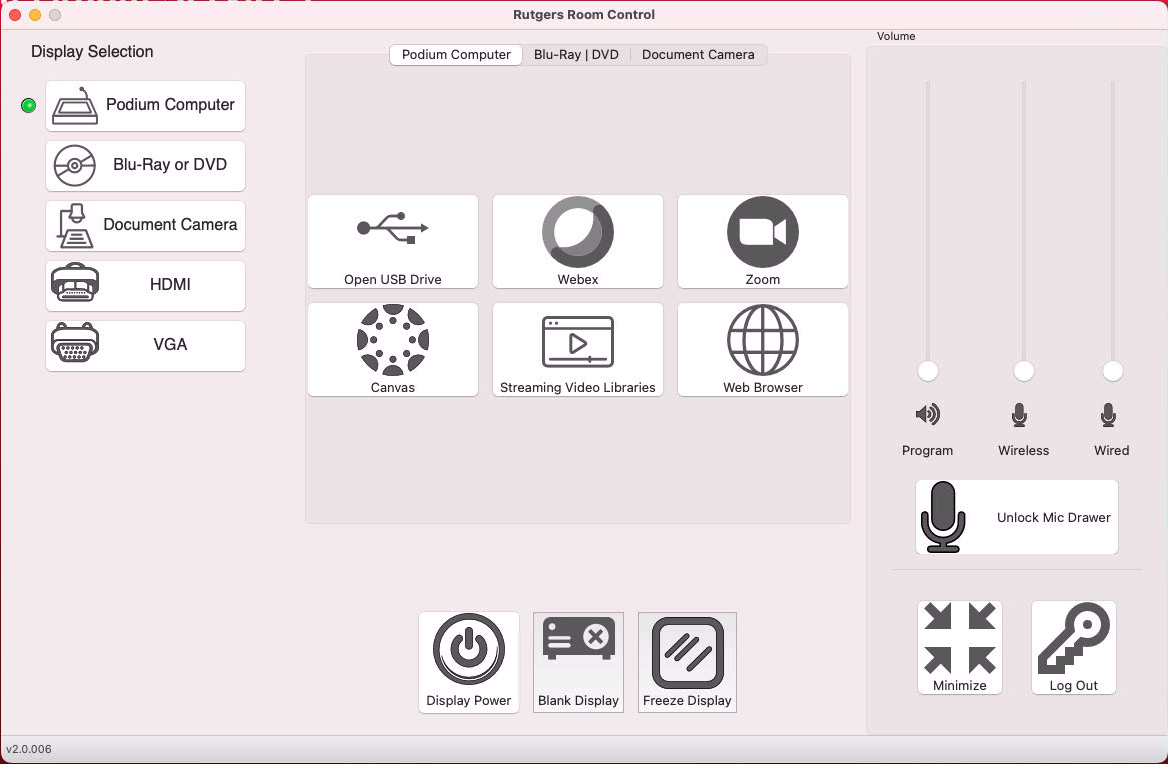
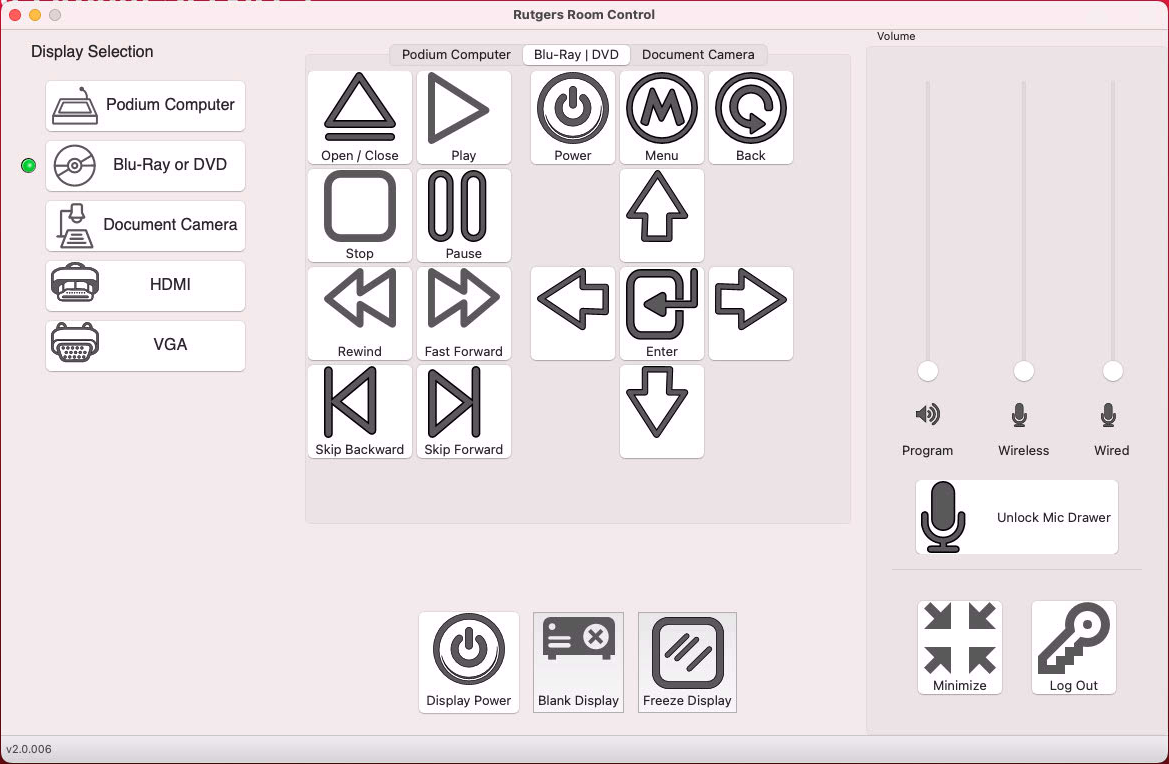
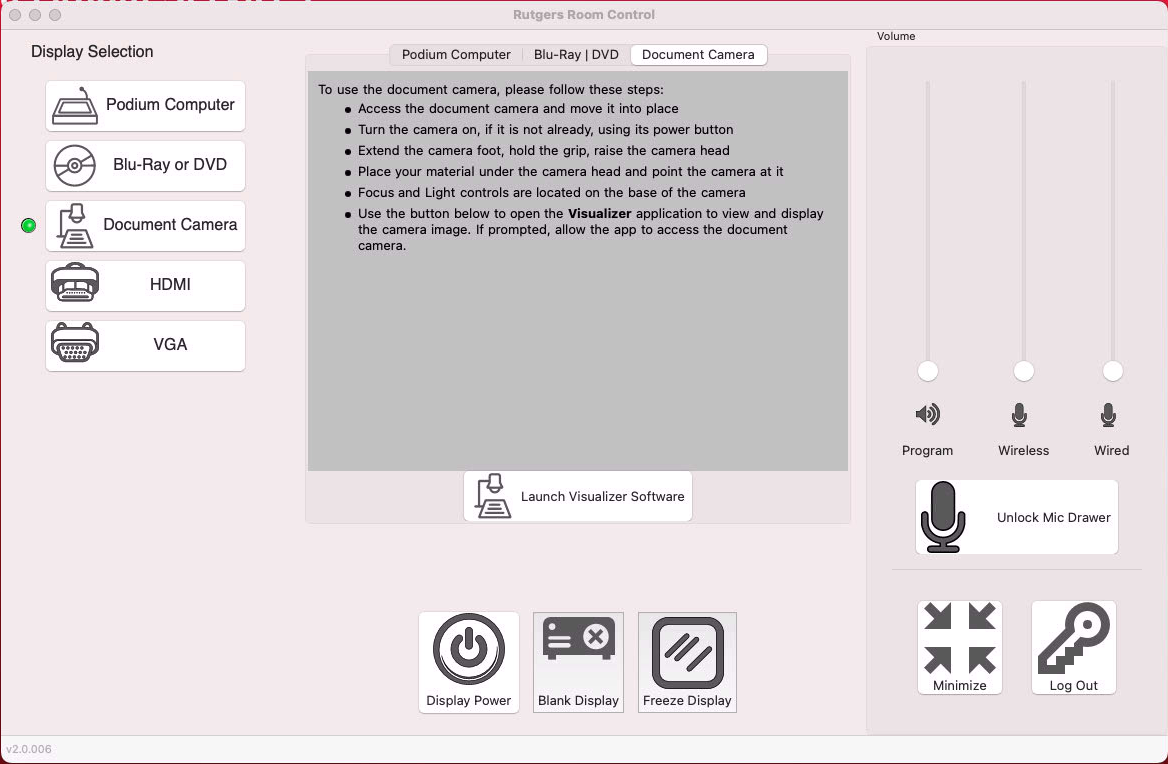
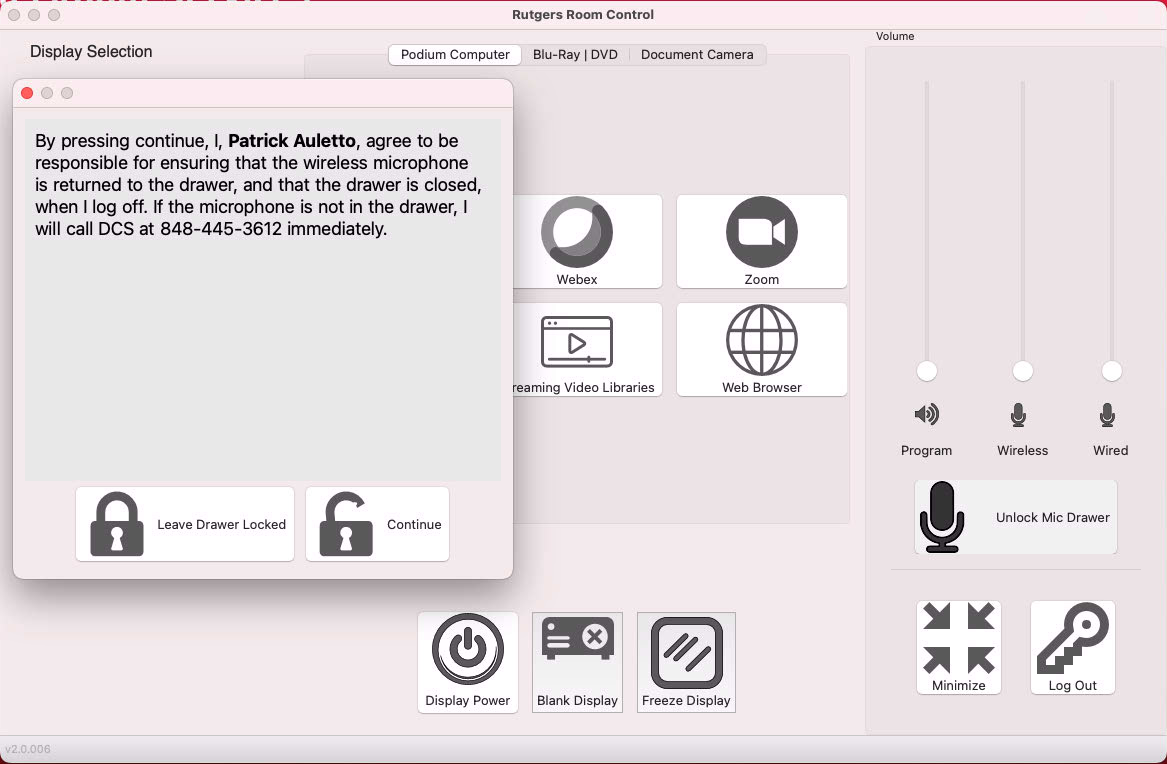
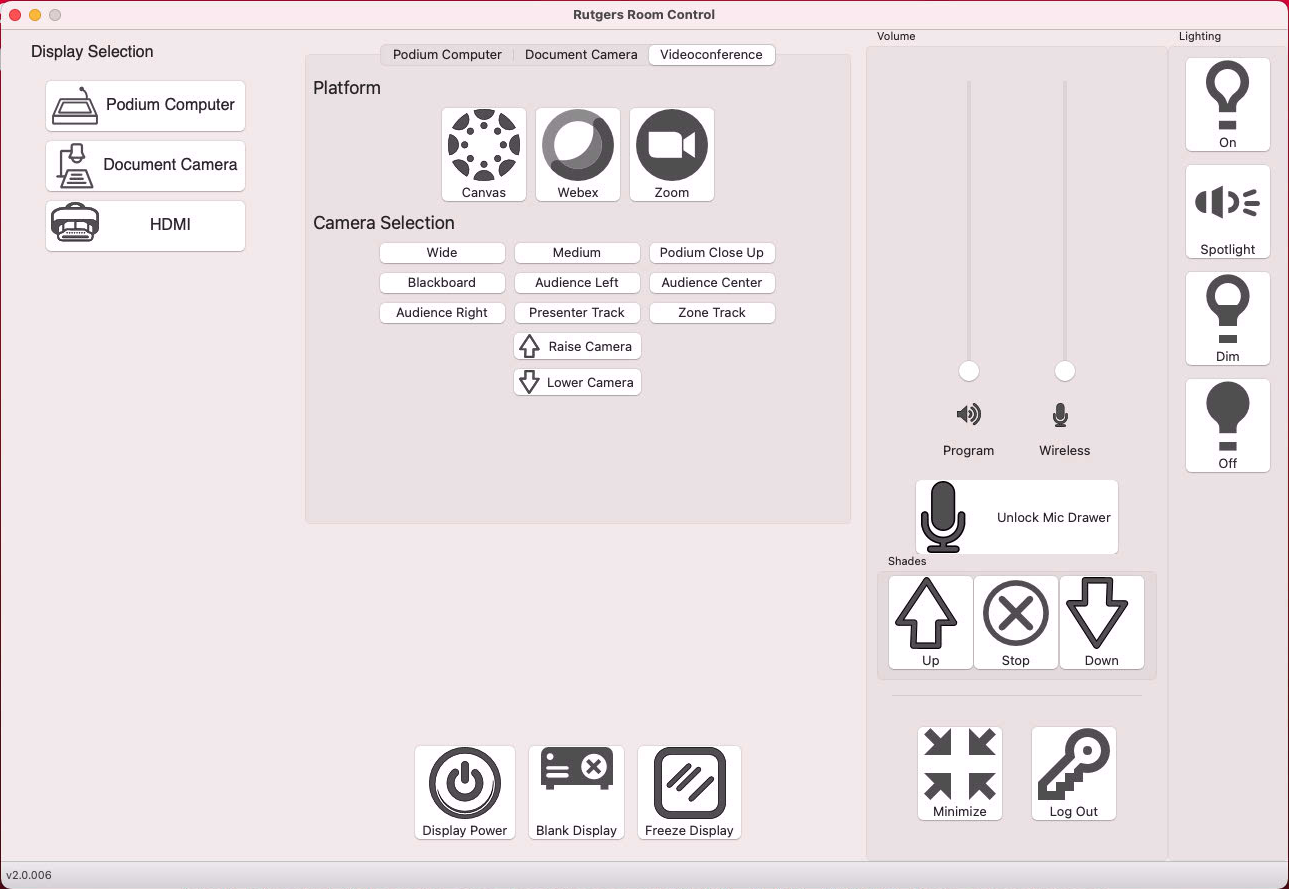
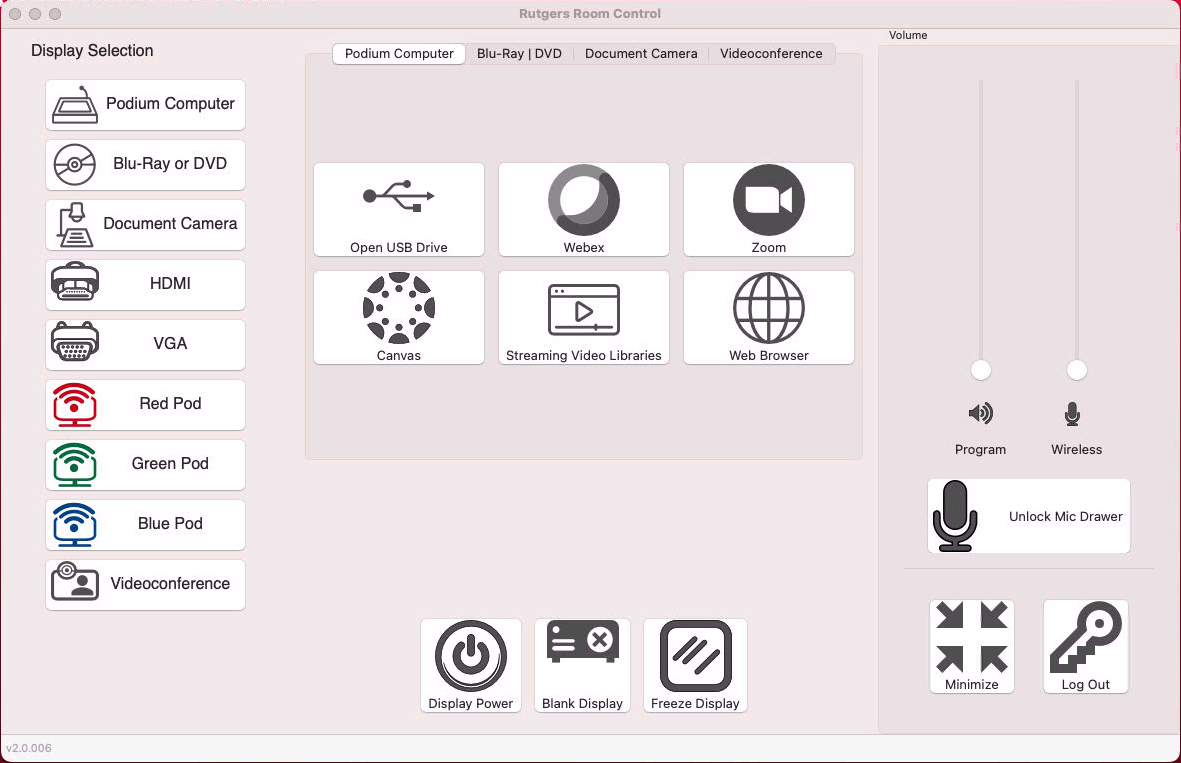
Rutgers Room Control
Rutgers Room Control (RRC) is a home-grown application used to operate Digital Classroom Systems.
Looking for More?
We’ve put all of our instructional information and one place for easy browsing.
